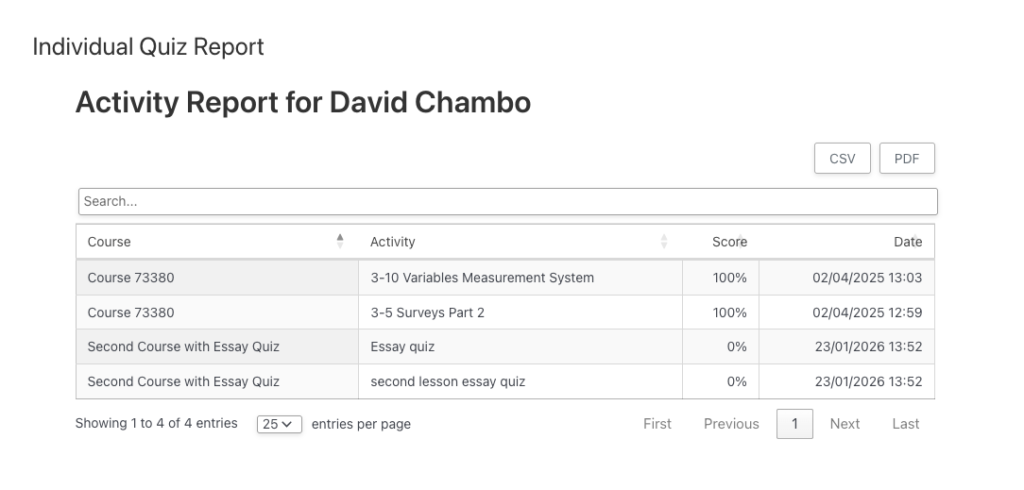
The following snippet will hide the Detailed Reports column and format the remaining columns to fill the table.
/**
 * Remove Detailed Reports column from uo_individual_quiz_report
 */
add_action('wp_footer', 'front_hide_columns_in_report_table');
function front_hide_columns_in_report_table() {
?>
<style>
  #uo-quiz-report-table colgroup { display: none !important; }

  #uo-quiz-report-table th:nth-child(4),
  #uo-quiz-report-table td:nth-child(4) {
    display: none;
  }

/* Let remaining columns stretch */
  #uo-quiz-report-table { width: 100% !important; table-layout: auto !important; }
  #uo-quiz-report-table thead th,
  #uo-quiz-report-table tbody td { width: auto !important; }
</style>
<?php
}
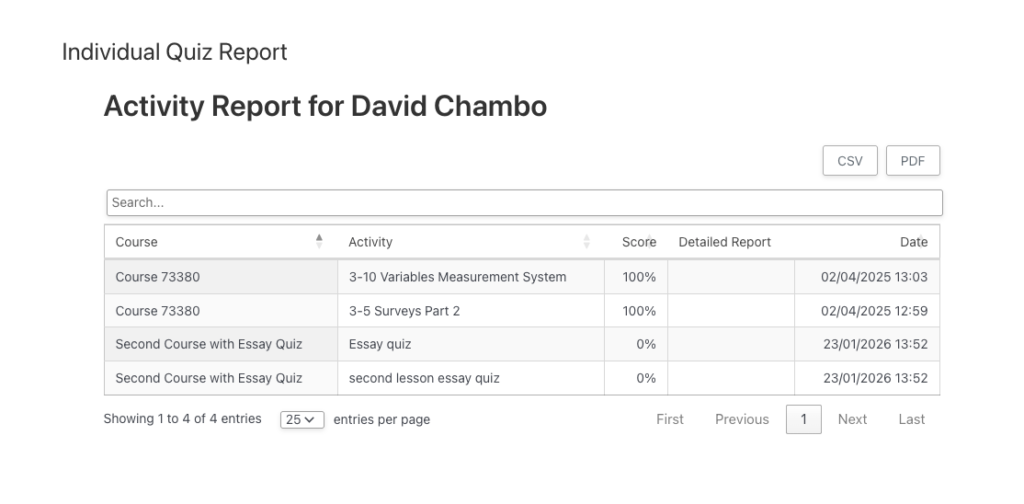
Screenshot of report without snippet
Screenshot of report with snippet