Sometimes iSpring modules will track bookmark statements, allowing the user to resume their progress, but SCORM/xAPI statements are not appearing in the Tin Can Report.
This issue occurs most commonly with iSpring 11 modules.
What Causes the Issue
During module upload, the iSpring 11 check (to determine module type) bailed out before adding Tin Can support.
Fix for the Issue
The fix for this requires adding a filter to the functions.php file and re-uploading the iSpring ZIP file using the “Replace” feature on the Manage Content page.
1. Add the following filter first:add_filter('uo_tincanny_reporting_ispring_11_include_tin_can_support', '__return_false');
2. Use the “Replace” option on the Manage Content page to upload a new iSpring module. The fix is applied to the module during the upload process
To make sure you are replacing the correct module, first go to the LearnDash editor page where you have embedded the iSpring module. Find the module ID in the Tin Canny Content block.

Then find the module ID on the Manage Content page and click the “Replace” button.

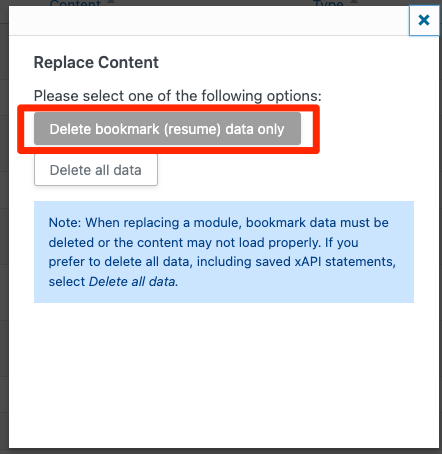
Click on the button “to delete bookmark statements”Delete bookmark (resume) data only and proceed with the remaining steps to successfully upload the new module.